


As an important part of strategic HR, you can now easily, clearly and efficiently plan and execute the recruitment of new employees for your organisation in IFS Cloud. The IFS Recruitment module provides you with the tools to ensure a smooth process from the desire to expand your employee team to the creation and onboarding of new employees. IFS Recruitment allows you to keep track of candidates and the process, so you don't miss the right candidate along the way, while ensuring that the process is not abrupt and complicated.
The first part of the flow in IFS Recruitment is where you describe the need for a new hire, where in the organisation they should be placed, preference for applicant type, employment type, date information, who created the requisition and any comments. The requisition is created in New Staff Requisition, which is a two-step assistant with built-in approval of the requisition.
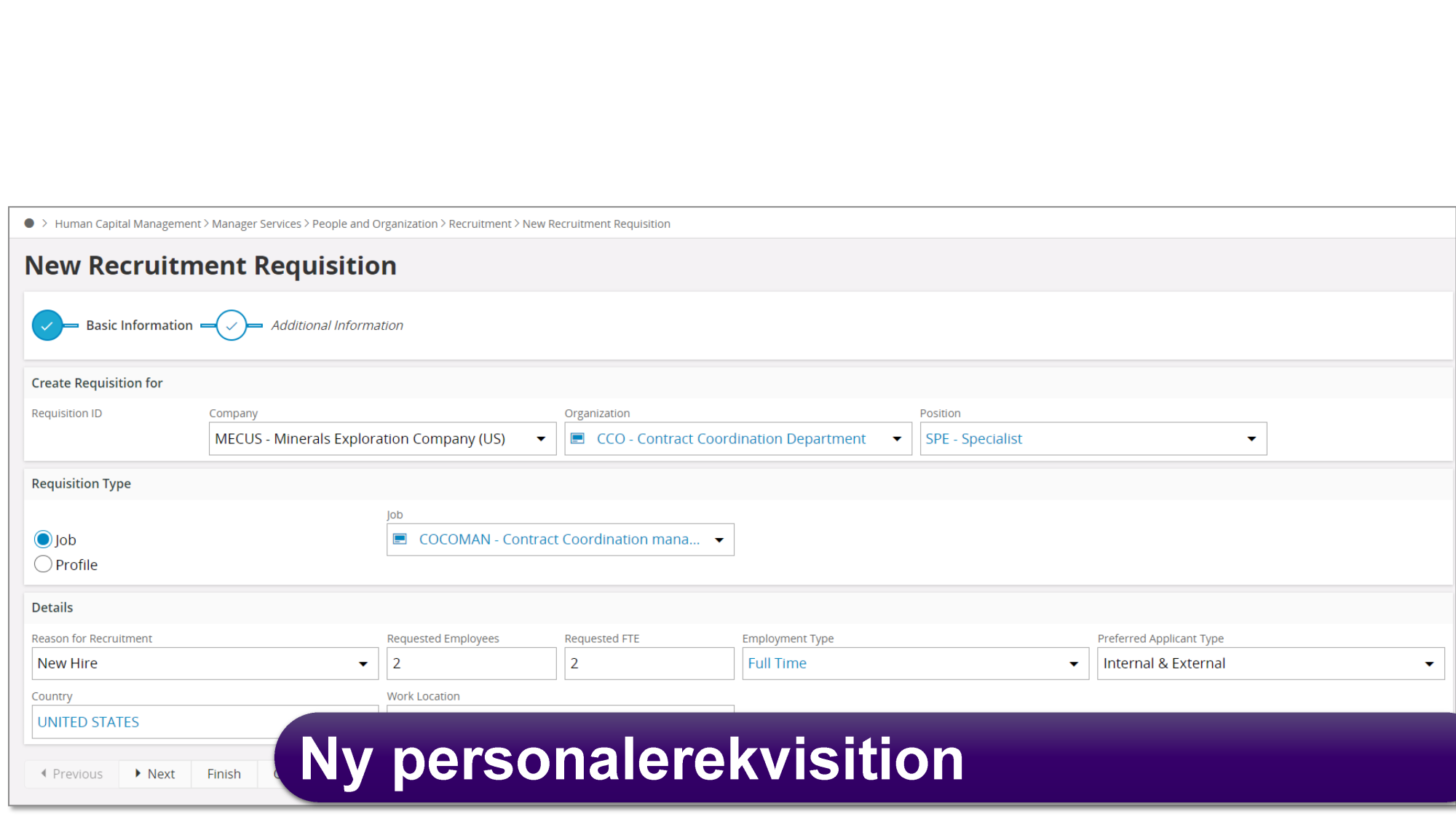
Once a requisition is created, you can then attach additional information to it. This way you can gather information for use in a job posting.
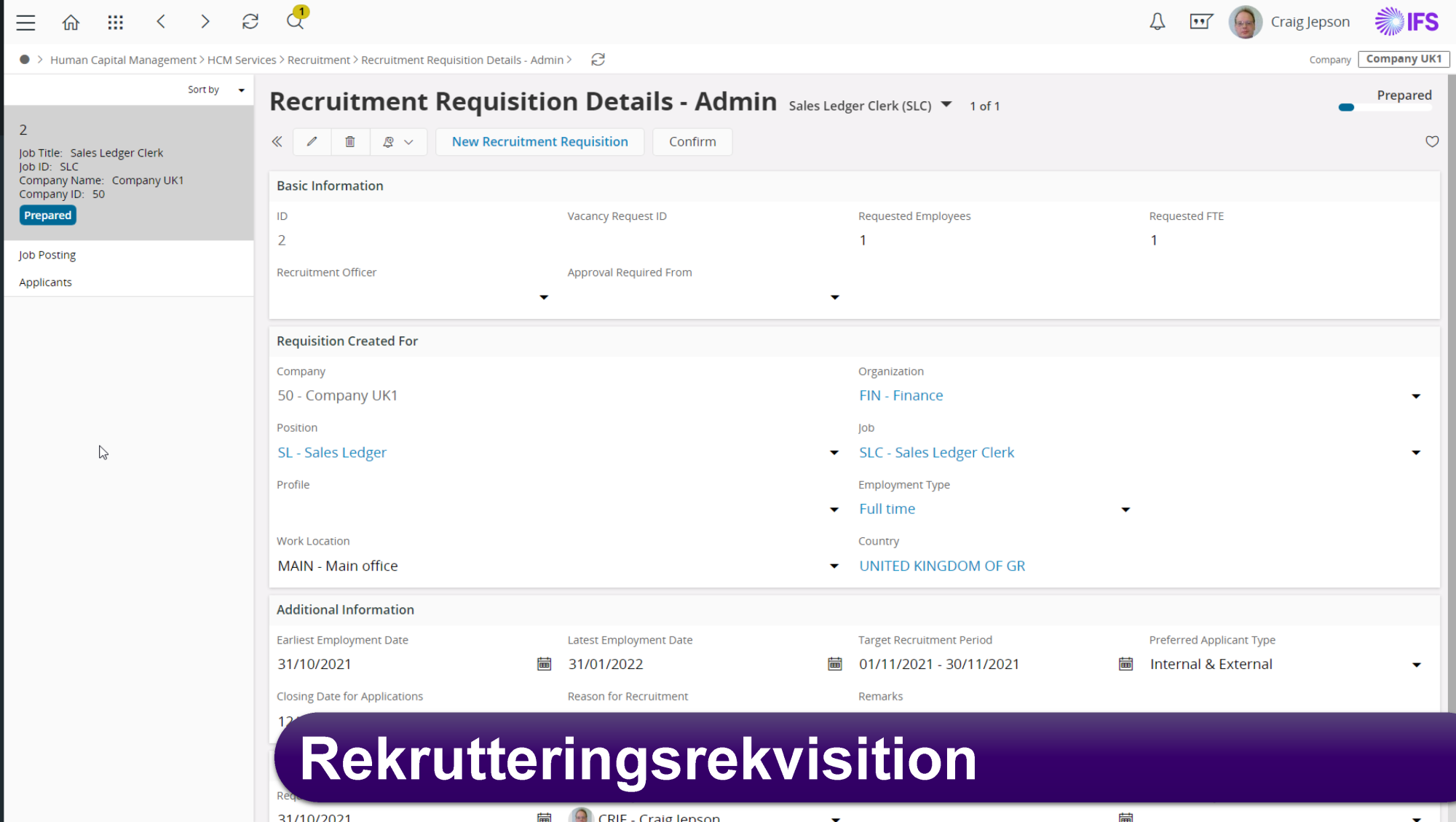
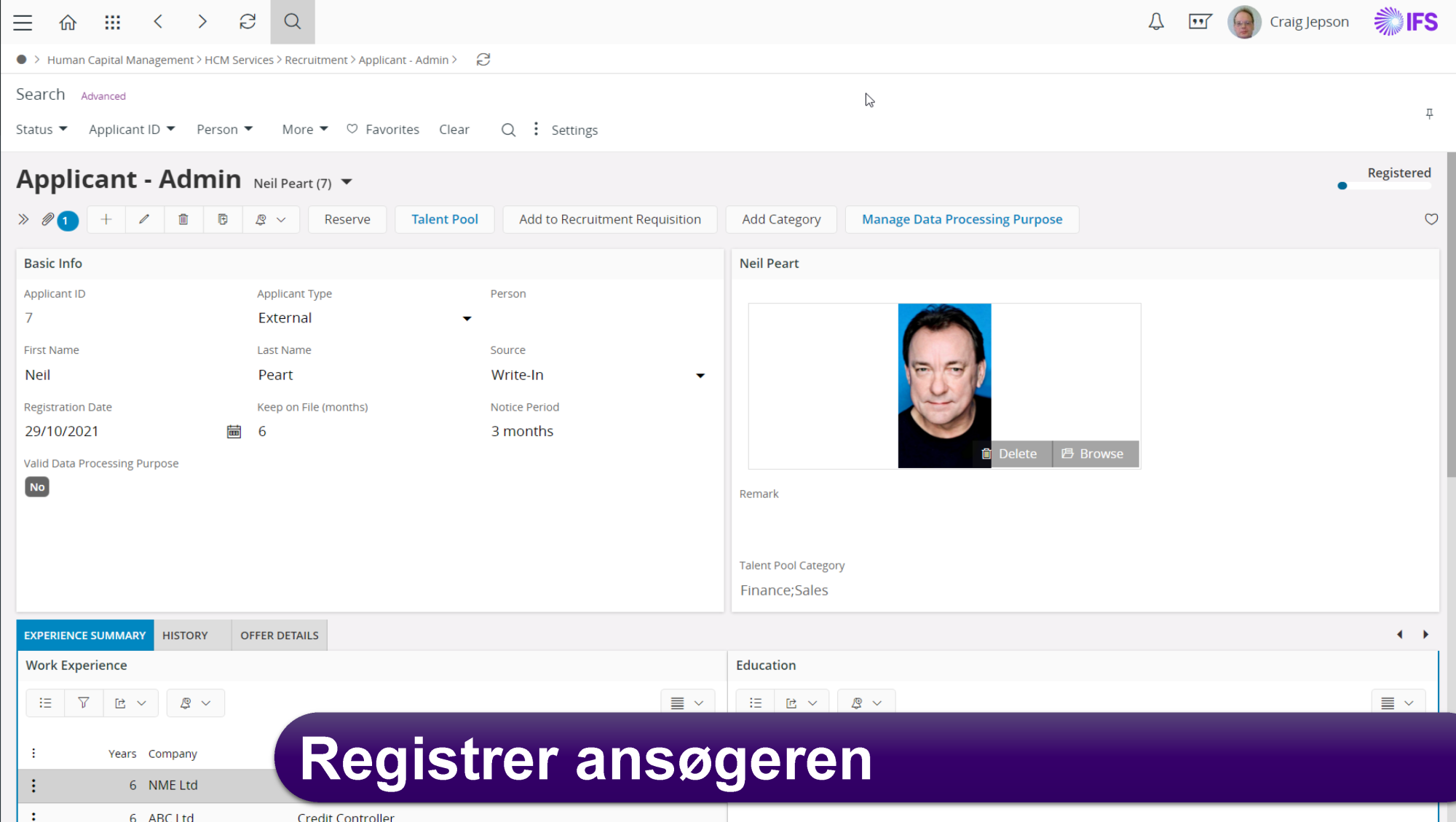
Applicants can now be created as applications come in. As a company often has several recruitments going on at the same time, applicants are linked to a specific requisition. This ensures that you can keep track of the individual recruitments and applicants.
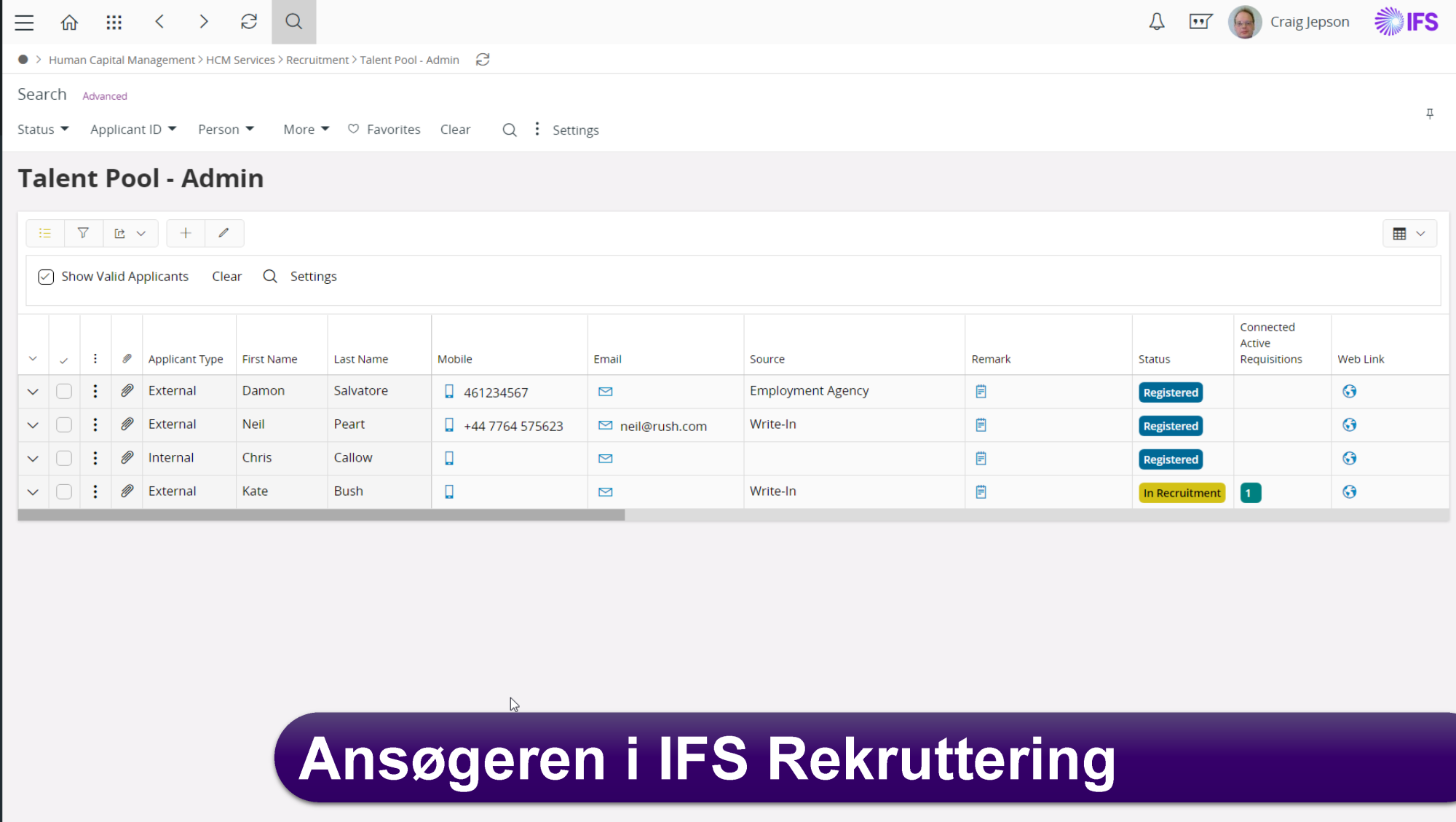
All created applicants will be displayed in the Talent Pool overview, from which you can create an overview of the number and information about each candidate, such as contact details, experience and attached documents like CV. The Talent Pool is a list from which you can also search for details about an individual candidate. During the recruitment process, you can stay updated on the status of each candidate, including whether they are registered in the system, in the recruitment process or have been offered the job (registered, under recruitment and job offer).
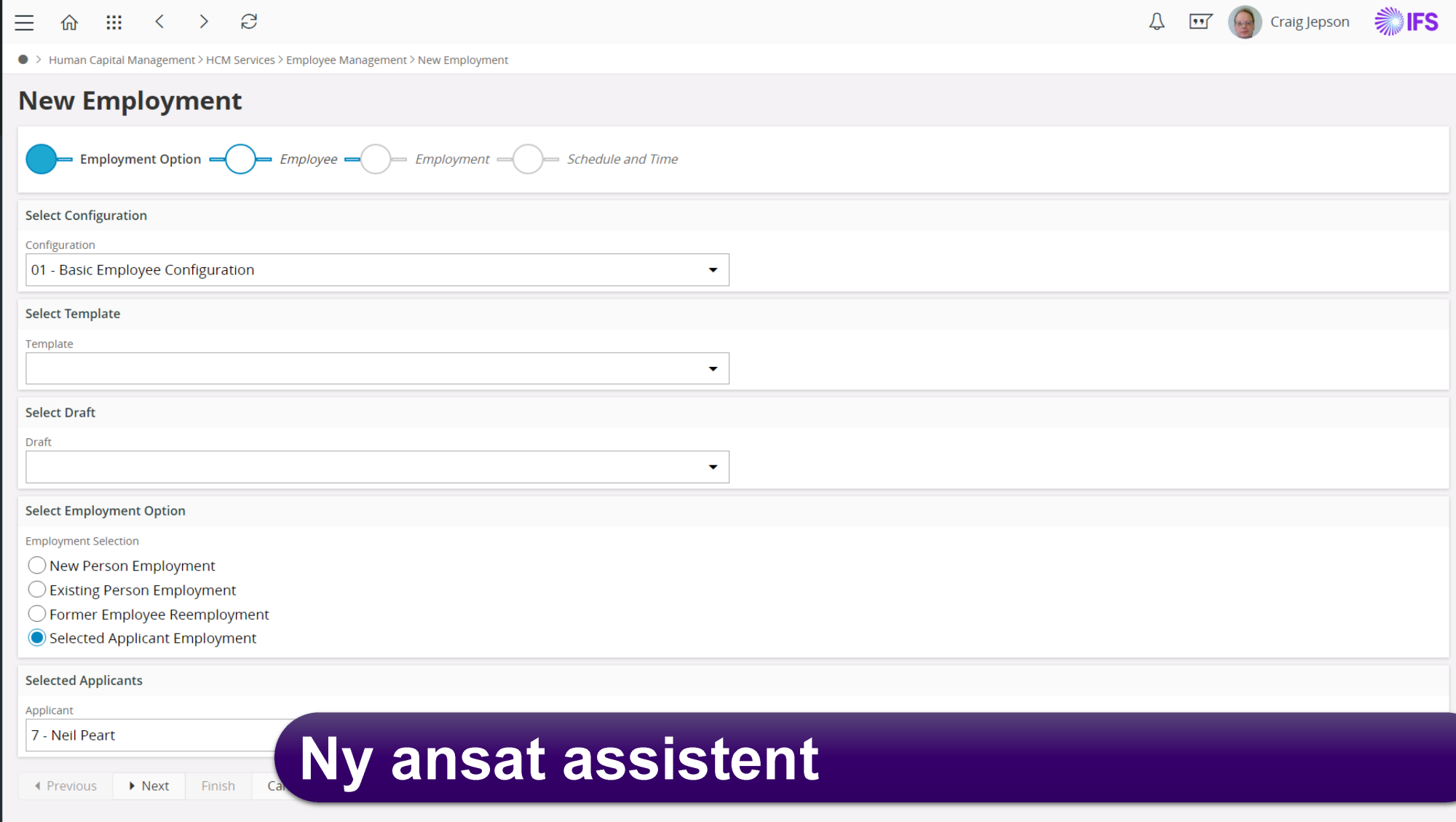
Once a candidate has gone through the recruitment process and accepted the job offer, you can easily create a New Employee by transferring data from Applicant Information to Employee File. This avoids the need for additional re-entry of employee data.
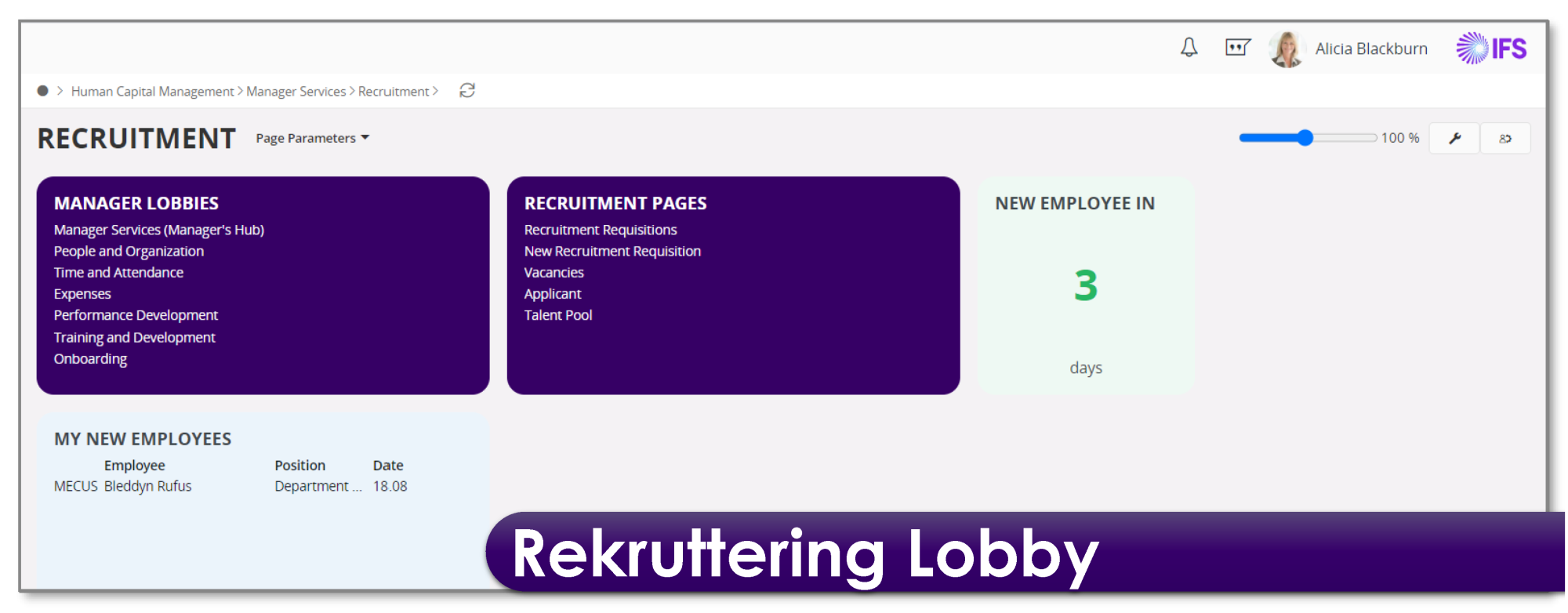
Finally, you can of course also create a recruitment lobby where you can create an overview of the most used information and statistics related to the use of the module.
As an administrator of the Recruitment module, you can manage access, for example, so that your colleagues can access information about candidates in the system without being able to make changes.
IFS Recruitment can also be integrated with SmartRecruiters if your organisation uses this platform for recruitment.
If you and your company have questions or would like more information about IFS Recruitment, please do not hesitate to contact one of our skilled HR consultants.